Stirlitz Media Logger - Server
Configuration
Stations list shows grid of configured stations.
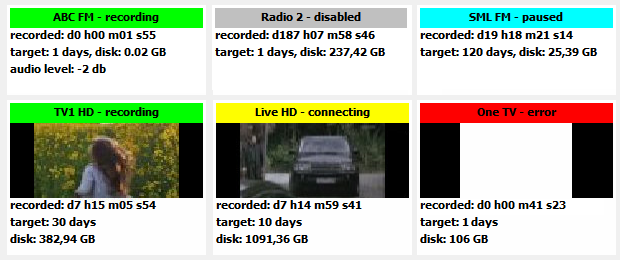
Each box represents single audio or video source.
Name of the station (source) is displayed on coloured ribbon along with recording status
If the source is video, last keyframe captured is displayed below the station name. Stations that have problems and/or are not recording will only display empty frame.
Bottom part of each box shows overall length of captured material in days, hours, minutes and seconds.
Target is maximum number of days to keep recordings for the station in logger - as set in station configuration.
Disk schows total disk space occupied by each station.
For audio sources, current volume level is displayed.
On each start and restart of recording, station box will show "waiting for update" message. During the time, station's files are indexed to update size of log.
Click on box and then on one of the buttons below grid to perform an action on selected station
Status messages is area reserved for SML messages such as license status and warnings

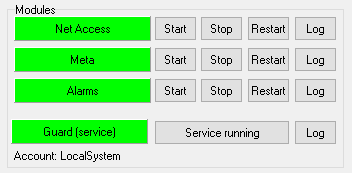
Modules is the section that shows status of each SML Server module.
.
Configuration section is for setting up Access to SML Player and webPlayer, Metadata and Alarms. Click on button to get to individual settings for each module.
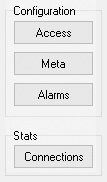
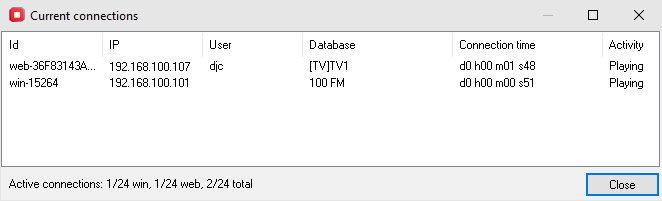
Stats window shows active clients connected to SML Server. Click [ Connections ] to see the list of clients currently connected to this server.
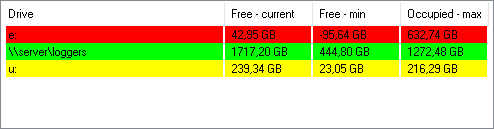
Bottom right part the screen is reserved for listing disks and network shares being used by SML Server.