Access module is responsible for giving access to recorded material through SML Player app for Windows and through browser based SML webPlayer..
SML webPlayer access
SML comes with an embedded web server. By default it is turned off.
SML WebPlayer - check to enable webPlayer feature.
use HTTPS - check to enable https connection for webPlayer.
SML WebPlayer port - default is 80, change it if needed.
Timeout setting forces SML Server to break Player connection after specified amount of minutes. There are two modes: connection can dropped when paused, or after number of minutes playing. 0 means that connection will persist until the Player will be shut down by user.
Secondary webPlayer(s) URLs - is a way to merge SML webPlayers of multiple SML servers into a single stations list. On server designated as master, enter the URLs of other SML webPlayer servers.
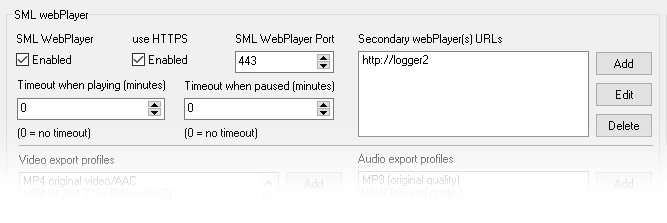
For HTTPS protocol SSL certificate files are mandatory - sample ones installed with SML Server should be updated with valid ones matching used domain
certificates has to be provided in OpenSSL compatible X.509 format. TLS 1.2 is used.
Required certificate files :
- smlserver\sslcerts\cert - certificate file
- smlserver\sslcerts\key - private key file
- smlserver\sslcerts\rootcert - root certificate file
- smlserver\sslcerts\ciphers.txt - ciphers configuration
default content:
HIGH:!aNULL:!MD5:!RC4:!3DES:!CAMELLIA
Export profiles
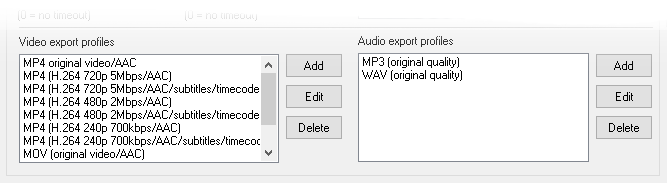
SML webPlayer comes with various export formats for video and audio exports.
Users can modify or add new export profiles if needed.
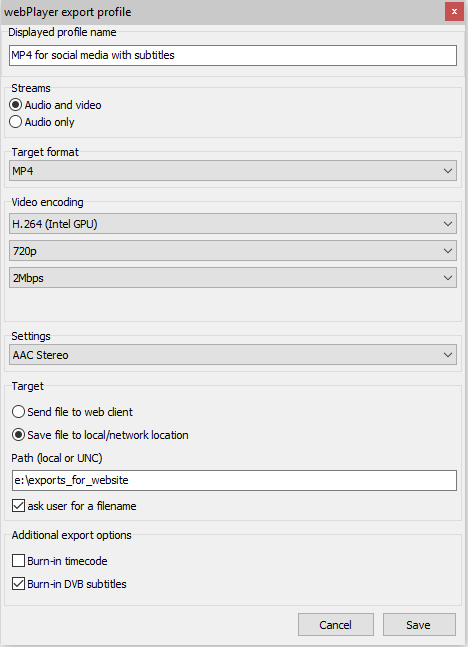
Click on selected export profile and click [ Edit ] to enter profile settings or click [ Add ] to add new one.
-
Displayed profile name - name to be displayed in webPlayer export menu
-
Streams - check if the output file will contain audio+video or audio only
-
Target format - MP4, MOV, TS are available
-
Video encoding - encoding parameters for exported MP4 and MOV files. Set the codec, picture height and bitrate for exported file
-
Settings - audio layout: stereo or 5.1 (if applicable)
-
Target - defines where the exported file will be sent
- Save file to web client - file will be sent to web browser and then user decides where to store it
- Save file to user local/network location - files will be exported directly to the path specified. When Ask user for a filename is checked - user will have to specify filename prior to export.
- Additional export options
- Burn-in timecode - airtime of record will be placed in top right corner of exported files
- Burn-in DVB subtitles - when available in stream, subtitles will be placed on bottom of the screen in exported files.
Mind the subtitles will not be exported, if the picture height is too small.
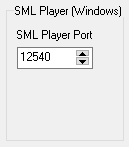
SML Player (Windows) access
Default port for communication between SML Server and Player is 12540.
It should not be changed - unless there is another service in your local network that has to use this port number.
Users configuration
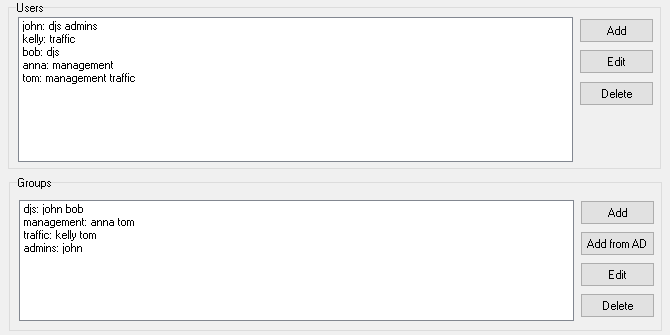
Standard configuration:
- Create one or more groups using "Add" button in Groups section
- Create one or more users using "Add" button in Users section, and assign them to groups
- Groups can be used in every Station configuration (audio, video) to grant access rights to this group
Active Directory configuration:
- SML Server has to be running on domain account with local Administrator rights
- Select group from AD by clicking "Add from AD"
- Groups can be used in every Station configuration (audio, video) to grant access rights to this group
- In SML Player for Windows options select "Logged Active Directory User"
- AD authentication in web Player works only with https enabled.
MOTD
- display startup message to clients using SML Player - only in Audio mode.
Click [ Save ] to save configuration.