
Stirlitz Media Logger - Server
First start
If SML Configuration is not running run SML Configuration from desktop shortcut
This is how screen looks after first start of SML Configuration:
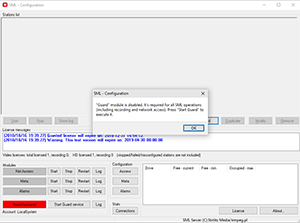
Config window - first start
Click [Start Guard] button to execute SML Guard module - which is responsible for starting and keeping alive all configured SML modules. On next Windows start Guard module is automatically executed (or right after logon if installed in Desktop mode).
Now you can add one or more stations: audio or audio/video
When stations are configured you may configure other modules (Net Access, Meta, Alarms) and then start those modules.
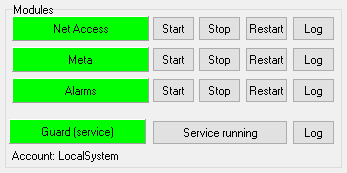
Net Access (Net) - responsible for files management and general access via Player and webPlayer. Only when started SML Players can access and play recorded material.
Meta - responsible for metadata acquisition and access. Only if working SML will read and process metadata related to recorded programme.
Alarms - error reporting via SNMP and SMTP (e-mail). Module has to be started for SML Server to send alarms.